Thursday, September 9, 2021

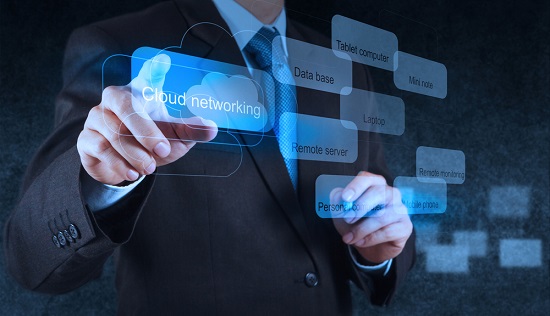
Companies are migrating quickly to the cloud — but at what cost to security?


Cloud computing is an important step towards our digital future. However, migration has accelerated rapidly in recent years leaving many businesses at risk of cyberattack. This article will discuss the risks of cloud migration as well as the advanced software solutions that can be used to strengthen your defense.

The pace of digital transformation has increased at an incredible rate. In every industry, there have been significant changes in the operating systems, network, workforce structure, and other areas. Complete systems, including sensitive data, have been migrated to the cloud as a result of the abrupt transition to remote work.

Cloud computing security has many benefits, including cost savings, efficiency, and accessibility. However, cybersecurity risks are much more serious than those of rapid migration. Companies have rushed to implement cloud migration plans. This leaves data and teams vulnerable to cyberattack.

Many teams will continue to work remotely, while others have switched to a hybrid-workforce model, which combines on-site and remote workers. We are beginning to feel the full impact of workforce transformation and the cloud sector has taken on the burden.

Devo Technology’s latest report “Beyond Cloud Adoption” reveals that 90% of businesses increased their cloud computing use as a result the global pandemic. The report was based on a survey of IT security personnel and examines how cloud computing is changing security techniques and technologies.

According to the study about cloud computing:

68% think that cloud computing has made IT security operations more complicated.

Survey respondents agreed that cloud computing has resulted in an increase in security data analysis.

Over three quarters (79%) expect that cloud computing security spending will increase over the next twelve months.

Transitioning to the cloud poses many challenges, not only because of complex operations but also because of new data. Migration to the cloud can lead to reduced visibility and control, compliance violations and an increased risk of malware, data breaches, and other problems.

Cloud migration isn’t slowing down, despite the risks. Devo Technology reports that the cloud computing train is now at its destination. Large and small organizations are shifting workloads to the cloud and developing cloud-native apps. They also embrace SaaS applications. But, the implications remain: Cloud adoption success requires knowledge of cyberthreats, ongoing security management, and tactical security decisions.

Here are the top risks associated with cloud migration.

1. Exploited cloud apps

IBM data shows that cloud applications are the most popular entry point for attackers in cloud cases. This includes tactics like brute-forcing and exploiting vulnerabilities. Shadow IT is when employees go outside of approved channels and create vulnerable cloud apps.

Security of your application

Application security can reduce the chance of code hijacking, hacking, and other threats. You can obtain account authorization and authorization, records about users’ in-app activities, and encryption for cloud-based information with the right tools. Your team will be protected with powerful post-deployment protection that allows them to continue accessing the apps they need.

Risk #2: Ransomware attacks

Ransomware has quickly become the cyberweapon choice for hackers. Ransomware is a form of extortion malware that encrypts your files and operating system, and demands a ransom to unlock them. Malicious software, such as ransomware, can cause vulnerabilities in the cloud. It is often introduced to your system via phishing emails or poorly configured servers.

Security: Email security + Network and Infrastructure security

Email security software provides a strong defense against malicious messages in your email inbox. It reduces the risk of spam messages, viruses, malware, phishing attempts and other threats. These attacks can be prevented with advanced email security.

Additionally, increased security for your network devices will reduce vulnerabilities in your IT environment. These software solutions can secure your internal communications, resource sharing, data, and user files.

Risk #3: Data breach

Your data is the foundation of modern businesses, so it is crucial to protect it. Companies are increasingly using the cloud to store sensitive data due to the shift towards hybrid and remote work. This increases the risk of data loss as hackers have access to personal files, intellectual property, and other information in the cloud.

Defense: Data security + Identity access management

Cybersecurity solutions can keep your most important information safe, compliant, and uncorrupted. They include tools for encryption, tokenization, access, and tokenization. Identity and Access Management (IAM), solutions increase visibility and control over users in your network. They simplify how you manage user roles, track access activity and enforce permissions and policies.

Scale up and modernize with confidence

Smart security software can help make cloud migration positive, despite the inherent risks. Secure cloud solutions can help your business modernize and scale confidently, regardless of whether you use a hybrid, public or private cloud model.

The right tools allow employees to share resources across the cloud easily. You can also focus on higher-priority goals knowing that your data is secure and safe. Call SpartanTec, Inc. for more information.

SpartanTec, Inc.
Charleston, SC 29407
843-418-4792
https://manageditservicescharleston.com/

Serving: Myrtle BeachNorth Myrtle BeachColumbiaWilmingtonFayettevilleFlorence

Tuesday, September 7, 2021

What is cybersecurity?


Cybersecurity is a collection of technologies and methods that help to protect the integrity, confidentiality, and availability computer systems, networks, and data from cyber-attacks and unauthorized access. Cyber security serves two purposes: to protect organizational assets against external and internal threats, as well as from disruptions due to natural catastrophes.

Because organizational assets can be made up of many disparate systems, a coordinated effort across all information systems is necessary to ensure effective cyber security. Cybersecurity therefore consists of the following sub-domains.

Application Security

App security is the implementation of various defenses in software and services within an organization against a variety of threats. This includes designing secure applications, writing secure code and implementing strong data input validation. Threat modeling is also required. It reduces the possibility of unauthorized access to or modification of application resources.

Identity Management and Data Security

Frameworks, processes, or activities that enable authorization and authentication of authorized individuals to access information systems within an organisation are called identity management. Data security is the implementation of strong information storage systems that protect data in transit and at rest.

Network Security

Network security is the combination of hardware and software measures to safeguard the network and infrastructure against unauthorized access, disruptions, or misuse. Network security is essential to protect your organization assets from external and internal threats.

Mobile Security

Mobile security is the protection of personal and organizational information on mobile devices such as cell phones, laptops, tablets, and other smartphones. From various threats like unauthorized access, device theft or theft, malware, and others.

Cloud Security

Cloud security refers to the creation of secure cloud architectures for organizations using different cloud service providers like AWS, Google Azure, Rackspace, Rackspace, and Azure. A well-designed environment and architecture will protect you from various threats.

Disaster recovery and business continuity planning (DR&BC).

Disaster Recovery &BC is about processes, monitoring and alerts that assist organizations in preparing for the possibility of a disaster and resuming business operations after it.

User education

It is important to train individuals on topics related to computer security. This will raise awareness about industry best practices, organizational processes and policies, as well as monitor and report malicious activity.

Cybersecurity: The challenges and importance

The rapidly changing technological landscape and the fact software adoption is increasing in many sectors, including finance, government and military, retail, hospitals and education to name just a few, means that more information is becoming digital. It is also accessible via wired and wireless digital communication networks as well as the ever-present internet. Criminals and other evil-doers have a lot of valuable information. It is therefore important to use strong cyber security processes and measures to protect this sensitive information.

Recent high-profile cyber security breaches at Equifax, Yahoo and the U.S Securities and Exchange Commission (SEC) have highlighted the importance of having good cyber security strategies. These security breaches resulted in extremely sensitive user data being lost that has caused irreparable damage to their reputation and finances. As the trend indicates, cyber-attacks are not slowing down. Attackers target both small and large companies every day to steal sensitive information or disrupt services.

Effective cyber security strategies are also difficult to implement due to the constantly changing technological landscape. Software is constantly changing as it is updated or modified. This creates new vulnerabilities and issues that can be exploited by cyber-attackers. Many companies are migrating to the cloud their IT infrastructures, which creates new design and implementation challenges. This leads to a new class of vulnerabilities. Companies don’t realize the risks inherent in their IT infrastructure, and fail to implement cyber security countermeasures until it is too late.

What is a Cyber-attack?

Cyberattacks are a deliberate effort by internal or external threats or attackers, to exploit and compromise confidentiality, integrity and accessibility of information systems of target organizations or individuals. Cyber-attackers use illegal tools, methods and approaches to damage and disrupt systems or gain unauthorized access.

Cyber-attacks can be of many types. The following list highlights the most important ones criminals and attackers use in order to exploit software.

  • Malware
  • Ransomware
  • Injection attacks (e.g., cross-site scripting, SQL injection, command injection)
  • Session management, Man-in-the-Middle attacks and session management
  • Phishing
  • Service denial
  • Privilege escalations
  • Unpatched/Vulnerable software
  • Remote code execution
  • Brute force

What is the difference between cyber-attacks and security breaches?

Cyber-attacks are not the same thing as security breaches. Cyber-attacks, as we have discussed, are attempts to compromise security. Cyber-attackers use various types of cyber-attacks to try and exploit the confidentiality, integrity or availability a software or network. A security breach is an incident or event that results in the compromise of sensitive information, unauthorised access to IT systems, or disruption of services.

With the determination that any one of their cyber-attacks would cause a security breach, attackers continue to try numerous cyber-attacks on their targets. Security breaches highlight an important part of a comprehensive cyber security strategy. This is Business Continuity and Incidence Response. BC-IR assists organizations in dealing with successful cyber-attacks. Incidence Response focuses on responding to security incidents and limiting their impact, while Business Continuity deals with keeping critical business systems online.

11 cyber security best practices that will prevent a breach

1. Cyber security awareness and training should be conducted

Without employees being educated about cyber security, company policies, and incident reporting, a strong cyber security strategy will not work. Employees can make malicious or unintentional actions that could lead to costly security breaches, despite having the best technical defenses. The best way to decrease negligence and potential security violations is to educate employees through classes, seminars, and online courses.

2. Perform risk assessments

An organization should conduct a formal risk assessment in order to identify all valuable assets. Prioritize them according to the potential impact of a compromised asset. This will allow organizations to decide how best to spend their resources in protecting each asset.

3. Reduce Threats

To reduce the threat to their IT systems, it is essential that IT teams identify, classify, remediate, and mitigate vulnerabilities in all software and networks. Security researchers and attackers discover new vulnerabilities in software every once in a while. These vulnerabilities are then reported to the software vendors and made public. These vulnerabilities are often exploited and abused by malware and other cyber criminals. These vulnerabilities are patched and mitigated by software vendors regularly. It is important to keep your IT systems current in order to protect your organization’s assets.

4. The principle of least privilege should be used

Software and personnel should have the minimum permissions they need to carry out their duties according to the principle of least privilege. This reduces the risk of security breaches that result in lower permissions for software and user accounts. However, they cannot impact assets that have higher permissions. Two-factor authentication should also be used for high-level accounts with unrestricted permissions.

5. Secure password storage and policies

All employees should be required to use strong passwords that conform to industry standards. To protect against compromised passwords, they should be required to be changed periodically. Password storage should be consistent with industry best practices, which include strong hashing algorithms and salts.

6. Create a Business Continuity Plan

A solid BC-IR plan and policy will ensure that your organization is able to respond effectively to cyber-attacks or security breaches. It will also help you keep your critical business systems online.

7. Perform regular security reviews

Security issues can be identified early and quickly by having all software and networks undergo periodic security reviews. Security reviews can include network and application penetration testing, source code reviews as well as architecture design reviews and red team assessments. Organizations should prioritize security vulnerabilities and take steps to mitigate them as soon possible after they are discovered.

8. Backup data

Regular backups of all data will increase redundancy. It will also ensure that sensitive data is not lost, altered or compromised after a security breach. Ransomware and injections can compromise data integrity and availability. Backups can help protect in such cases.

9. Encrypt data in transit and at rest

Strong encryption algorithms should be used to protect sensitive information. Encrypting data ensures confidentiality. It is also important to have effective key management and rotation policies. All web applications/software should employ the use of SSL/TLS.

10. Secure software and networks should be designed

Always ensure security when designing applications, software, or networks. Remember that security is more expensive than refactoring and adding security features later. Security-designed applications help to reduce threats and make sure that software/networks fail safely.

11. Secure coding requires strong input validation.

Injection attacks can be prevented by strong input validation. Software and applications are programmed to accept input from users. This opens them up to attack. Strong input validation filters out malicious payloads that could be processed by the application. Secure coding standards are essential when creating software. This helps to avoid many of the vulnerabilities outlined in OWASP or CVE.

SpartanTec, Inc.
Charleston, SC 29407
843-418-4792
https://manageditservicescharleston.com/

Serving: Myrtle BeachNorth Myrtle BeachColumbiaWilmingtonFayettevilleFlorence

Friday, September 3, 2021

All you need to know about disaster recovery and backup (BDR)


It’s impossible to predict the future. Hard drives can fail without warning, cyber-attacks increase, and natural disasters could strike at any moment. Data security is best ensured by backing up data quickly and making it recoverable as quickly as possible as well as having a business continuity plan. This will minimize downtime when the unexpected happens.

Backup and data recovery have come a long ways. The days of manual recovery and media-vaulted backup are long gone. BDR solutions today offer secure, fast, monitored and continuous backup as well as rapid data restoration via cloud-based architecture. There are many options and methods available to meet every business need.

Backup evolution

Tapes were copied on a tape and kept in a vault. This process has remained unchanged for many decades. The reliability and trustworthiness of on-site backup solutions is almost as old as computing itself. There are many backup solutions available, whether it is a database that requires backing up, unstructured file, applications or any other type of data.

Although the backup can be saved to tape, optical media or disk, the end result is the exact same: a backup media collection that is stored in a vault. On-site backup always included an off-site component. This was usually someone taking the media and moving it to another location. This is sometimes called “off-site media backup”, but it’s actually “off-site media vaulting”.

This vaulting method of off-site backup has been used for the past 20 years. It involved either moving media or, more progressively, setting up a storage repository at a remote location along the WAN, and tunneling the backup data across what were almost always lower bandwidth WAN links once the backup was complete. This limited the amount of time a backup could be performed or limited bandwidth available for business users. Storage costs rose in an era when storage was still too expensive for most people, except large enterprises. The evolution of backup led to a new type of off-site backup ten years ago. Online backup allows solution providers to back up data to a hosted, off-site platform. This eliminates the need for media transport.

The same evolution has seen backup merged with cloud computing, transforming the previous generation. As bandwidth has improved, it is now possible to use third party services to manage online off-site backup. Virtualization has made hardware more abstracted. Combining increased bandwidth with commoditized hardware and the evolution of business continuity, off-site backup and disaster restoration solutions have enabled continuous data protection without the need for expensive systems such as those made by Tandem.

Cloud-based offsite backup is not sufficient in the event of a disaster. Data on off-site and on-site backups will not suffice to recover from a disaster. It will be necessary to replace the computer systems and the networks connecting them in order to restore the data.

Definitions & key terms

Backup and Disaster Recovery (BDR), a combination data backup and disaster recovery solutions, is designed to protect a company’s business continuity.

Remote data backup refers to the process of backing-up data created remotely and branch offices (ROBOs), and securely storing it. ROBOs need backup and recovery solutions to support their data protection policies as well as business service levels.

The backup window is the time frame within which backups will be scheduled to run on a system. They are usually scheduled at times of low usage (i.e. These are often scheduled during times of minimal usage (i.e. after hours).

The recovery time objective is a benchmark that indicates how quickly data should be recovered in order to maintain business continuity after a disaster or unplanned downtime.

The Recovery Point Objective is a benchmark that indicates which data must still be available in order to allow normal business operations to resume after a disaster or unplanned downtime. This is usually based on file date (i.e. This is often based on file age (i.e., all files backed up prior to date X must also be recovered). Administrators can use RTO to help them determine how often backups should be performed.

The area of security planning that deals in disaster recovery is designed to protect an organization from the negative effects of major events. In this context, significant negative events can be anything that could put an organization’s operations at serious risk. This includes crippling cyber attacks or equipment failures, as well hurricanes, earthquakes, and other natural disasters.

Cloud disaster recovery is an element of a disaster recovery plan. It involves keeping copies of enterprise data in the cloud storage environment as security measures.

Business continuity is a loosely defined collection of planning, preparation, and related activities. It’s designed to ensure that critical business functions are maintained even after major incidents or natural disasters.

Different types of backup

Full backup means that all files and folders (or the entire computer) are backed up. This is often used to create a backup of all files and folders. Then, it’s followed by incremental or differential backups.

A full backup will contain all data selected. The entire list of files and folders that were copied will be copied again when the next backup is performed. Although this makes it easier to restore data, it can also cause backups to take a lot of time and consume a lot of storage space.

A differential backup is a backup process that starts with a full backup and then backs up any changes made since that backup. This makes backups and restores much quicker, but also allows for faster storage utilization.

Although incremental backup can be used in the same way as differential backup, incremental backup stores any changes made since the last backup cycle, regardless of whether it was full or incremental.

Mirror backup, as its name implies, is a real-time replica of the source that is being backed up. Mirror backups are able to delete files from the source and mirror them. Mirror backups must be used with caution, as files that are deleted accidentally, sabotage, or by virus infection may also be deleted in the mirror backup. Some people do not consider mirrors to be backups.

Mirror backups with a 30-day deletion are offered by many online backup services. This means that if you delete a file from your source, the file will be kept on the storage server at least 30 days before being deleted. This allows for a balance between safety and affordability, while allowing backups to grow as online storage can be quite expensive.

Many backup software utilities do provide support for mirror backups.

These are the advantages

Backup is clean and doesn’t contain obsolete or old files

There are disadvantages

It is possible that files from the source may be accidentally deleted, or by sabotage.

Local backup refers to any backup that is made on-site. Storage is typically connected directly to the source computer to be backed-up or through a local area network. This is the simplest form of data backup and prevention. However, it comes with many inherent disaster-related risk as there is no offsite redundancy and no cloud component.

Remote backup, also known as cloud backup, is an offsite backup type that allows users to restore and administer backups from anywhere. This backup offers some of the best protection against unplanned downtime and natural disasters.

Hybrid backup and Business Continuity Plan

Cloud backups, also known online backup, are primarily focused on copying files to remote locations. This is an excellent option for disaster recovery. Hybrid backup mixes cloud backup with local backup to provide system recovery, file restores quickly, and disaster recovery.

Hybrid backup is a combination of cloud backup and local backup. Local backup is usually a USB drive, drive that’s shared within the network , or NAS device. Hybrid backup is a combination of both cloud backup and local backup. This utility runs in the background, transparently and easily. Cloud backup adds an extra layer of protection to the data on the computer system.

Hybrid cloud data backup backs up every production server as a virtual image. This can be done by either making a copy or converting physical servers into VM images. These images are stored on the local appliance just like regular file backups, but they also have a platform that can be restarted in the event of a primary server going down.

This allows a single appliance to act as a standby server for multiple primary servers or VMs. Although failover is not automatic, many hosted disaster recovery service providers can offer what’s basically high availability (HA), to production server environments as part their backup infrastructure. Final step is to transfer these VM images into the cloud provider’s database center. This data center has sufficient compute resources to start any of them in case of a disaster at client’s location.

Disaster recovery and data backup are two different things. Backup software and the person responsible can fail. Backups without recovery are the same as not backing up. There are additional steps that you must take to ensure you can successfully restore your data if you do need it. These include assembling the right recovery environment, which includes the right operating systems, servers, storage, and the right people, processes and tools to restore the backed-up data.

Why do companies require back up and disaster recovery?

1. Backup software may fail

Many organizations have been left hanging by their backup software after a disruption due to an inexplicable faith. Let’s take the example of the Civil District Court in New Orleans. After a server crash, what appeared to be a basic recovery of the county’s conveyance as well as mortgage records databases turned out to be a much bigger problem than a night in the French Quarter during Mardi Gras. The installation of an updated version of backup software, despite indications that it had been successful, failed to be discovered. For nearly a year, the new backups were not being installed, even though they were supposed to have been successful. Old copies were also deleted every 30 days.

End result: All entries and changes made after the most recent backup were lost.

2. Recovery must be supported in your mind

Steven Covey best states this in 7 Habits for Highly Effective People: “Begin With the End in Mind.” This applies to data backup and disaster recovery. Backup your data as though you might ever need it.

This is an example of why it’s so important.

One of our partners used third-party companies to manage their backups. The third-party company backed up data from multiple servers and applications, stripping it across tape. Their main concern from a backup standpoint is not to restore data; it’s about backing up data as fast as possible. The IT team had to recover their data after a major disaster. They quickly discovered that stripping their data made it nearly impossible to assemble a million pieces of jigsaw puzzle. They couldn’t find the tapes they needed to complete this “puzzle” in the end.

3. Data backup is just the beginning

Chapter one of disaster recovery is having a backup copy of your data at an offsite location. Chapter two refers to having the right systems to recover your data. This means you must have the right storage systems, operating systems, hypervisors and servers in your recovery environment. Your production environment should be replicated in your recovery environment. This is not an easy task as there are so many changes in a production environment every day that IT staff are often too busy to capture.

Let’s assume you have the right environment for recovery. Chapter three concerns having the right people and processes to help you recover when you need them. This problem is all too common: The Oracle guy wasn’t available, the Windows guy didn’t want to travel, and the runbooks were not up-to-date or based on an older operating system.

This is not to say data backup and disaster restoration are the same thing, but both are essential for long-term technology resilience. The right recovery mindset is essential.

a) Data backup according to your recovery plan

b) Connecting the correct recovery systems to properly backed up data.

c) Create a programmatic approach for recovery by arming oneself with the right people and processes and the right tools and making sure they are all available at the appropriate time.

Call SpartanTec, Inc. now if you wish to have an effective business continuity and backup plan for your home.

SpartanTec, Inc.
Charleston, SC 29407
843-418-4792
https://manageditservicescharleston.com/

Thursday, August 26, 2021

IT Support Charleston SC


Technology has changed how businesses work in recent years. The internet and information technology are driving almost everything in business today. That’s why IT support is crucial.

It’s safe to say that IT security is essential for organizations to improve productivity and efficiency. But managing IT services can be difficult. This involves complex functions that require finesse, expertise, and sophistication. There are many IT support services that can assist businesses in maintaining and managing their IT infrastructure.

SpartanTec, Inc of Charleston SC offers managed services packages and IT support services. These include 24/7 monitoring servers and software, off-site data storage, helpdesk support, telecom and voice services as well managed print and cloud computing.

Remote, automatic backups are available to protect your business data and create a business continuity plan in the event of a disaster. Increase productivity by preventing data loss through encrypted storage and virtualized restoration.

Monitor, maintenance, software updates, and security patch management are all available to optimize your servers, desktops, and laptops.

Recover data due to natural and manmade disasters (including user errors). Remote backup, business continuity, and disaster recovery solutions can help you keep your business information secure.

Custom IT support is a great way to fill staffing gaps or expand your tech expertise. It’s tailored to meet your business needs.

Concentrate on what you are best at. We are local experts who care about your success. We can help you build your team.

Do not ever complain about your network. We can help you choose the best business-class Internet provider, and we will manage your network correctly.

Information technology (or simply IT) refers to the collection of processes and methods that use computers, websites, and the internet. All IT-related functions and tools require support and maintenance, given that almost everything in our lives is now computer-driven. IT support services are here to help. They provide support for all IT-related issues, including network setup, database management, cloud computing, and other such things. These services are designed to ensure that all IT-related functions work seamlessly.

You need to understand your IT infrastructure before you spend any dollars on IT support services. It is important to identify the areas where you are most challenged so that you don’t waste money and outsource the wrong IT tasks. You might still be unsure which IT support services to choose.

SpartanTec, Inc. of Charleston SC can help you outsource your IT support services. SpartanTec, Inc offers a variety of IT services to increase your business’ efficiency and productivity. We allow you to skip the headache of managing your internal IT infrastructure. We can help you save money by not requiring you to purchase expensive software or equipment to manage an entire in-house IT department. Our ability to offer personalized IT support that meets different demands and needs is what sets it apart from other IT companies.

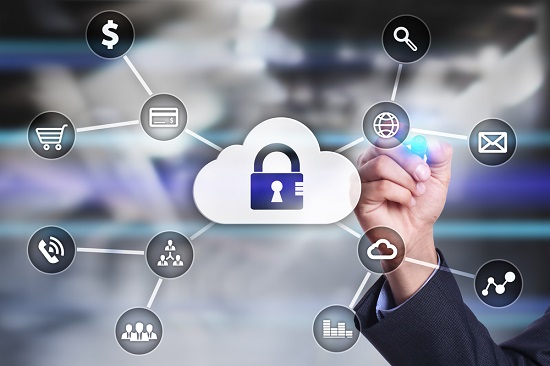
Cloud Services – SpartanTec, Inc. of Charleston SC will allow you to access your office resources from any location at any time. All your files and data can now be protected from hackers and other online criminals by using its cloud computing services. We securely monitor your data and ensure that you don’t lose any data.

Spam Protection – SpartanTec, Inc. of Charleston SC understands how dangerous spam messages are. It provides strong protection against spam-infected emails that could contain viruses, malware, or phishing scares. This will ensure that you have a secure environment and are protected from any malicious threats that could cause major security problems.

We have many IT customers, each with different needs and budgets. To help customers get the most value, we create an IT budget and plan to help them strategically choose their products and services.

Enterprise-grade data security and antivirus protection will keep your servers, workstations and company data secure.

Simple, reliable, and automatic backups can protect your business against catastrophic data loss and productivity losses.

Call SpartanTec, Inc. to review your IT needs and help you develop a plan to keep your company secure for years to come.

SpartanTec, Inc.
Charleston, SC 29407
843-418-4792
https://manageditservicescharleston.com/
Serving: Myrtle BeachNorth Myrtle BeachColumbiaWilmingtonFayettevilleFlorence

Tuesday, August 24, 2021

Why Companies Should Hire Managed Security Service Providers?


Many companies are seeking out the help of experts offering managed security services to obtain security expertise and cut back the workload of their in-house security employees. If you want to learn more about this option, here are a few things you need to understand.

What are managed security service providers?

Third-party companies like SpartanTec, Inc. offers managed security service providers for the administration and oversight of the security processes of a company. Managed security service providers perform the services either remotely or in-house, generally through the cloud.

Managed security service providers or MSSPs provide a wide range of security services, from establishing the infrastructure through incident response or through security management. A few managed security service providers have specialties in some areas while others give full IT outsourcing services.

Organizations opt to work with MSSPs for different reasons, generally, this decision is due to a lack of in-house expertise or resources for some areas of security or perhaps the need for security management and monitoring outside of the usual operating hours. In other instances, companies would hire MSSPs to perform security audits or check as well as respond to incidents.

Benefits of Hiring a Managed Security Service Provider

The main advantage of managed security services is the additional staffing as well as the security expertise they offer. MSSPs can manage security processes remotely and lets enterprises perform regular business operations with minimal intrusion because of security initiatives while the MSSP interface will retain a line of communication as well as seamless reporting to the company. MSSPs make sure that the company IT is always updated with the state of the security audits, maintenance, and security issues, allowing the hiring companies to concentrate on security governance instead of administrative tasks.

There is a range of security services being provided by IT support companies these days, from full IT outsourcing to specialized services that concentrate on a certain component of the security of the enterprise. Through IT outsourcing, companies are generally able to realize the cost savings by getting rid of the need to keep a fully staffed, on-site, and full-time IT security team. A lot of companies also hire MSSPs for quicker deployment times, and enhanced time to value on the security investments.

Why Use Managed Security Services?

Despite the increasing awareness of the need to set in place proactive security approaches, a lot of companies continue to delay the implementation of sound security measures until they have suffered a loss due to a data breach. The number of data threats and cyber attacks is growing, and it’s important that companies put IT security first. Whether a company is insufficient in security program maturity or just wants to widen its security capabilities, MSSPs are quite valuable due to their continuous oversight, fast evolution, and early threat detection.

Not only that, MSSPs can performing penetration and vulnerability testing, conducting routine security scans and taking care of other functions that are important for security management.

Call SpartanTec, Inc. now if you are looking for reliable and trustworthy managed security service providers.

SpartanTec, Inc.
Charleston, SC 29407
843-418-4792
https://manageditservicescharleston.com/

Serving: Myrtle BeachNorth Myrtle BeachColumbiaWilmingtonFayettevilleFlorence

Friday, August 20, 2021

How Does Firewall Defend Your Data


firewall is a crucial aspect of your company’s cybersecurity. It defends your network from cyberattacks and other online threats.

A firewall protects your systems’ vulnerable programs. It acts as one of the important layers of the layered security strategy of your company. You need a stable firewall if you would like your company to have a layered security strategy.

Aside from the network firewall security, you must have a layered security strategy that includes the following:

  • Data backups
  • Patch management
  • Control to user access
  • Email and web filtering
  • Employee awareness and training
  • Endpoint protection
  • Regular assessments

These are the crucial elements that comprise multi-layered cybersecurity. You will be able to minimize your risk of a security breach if your network has these multiple security layers.

What is a firewall?

A firewall is a security software or hardware that will create a barrier between two networks that will block or allow certain traffic. It checks traffic so that it could block threats that may harm your network or systems.

Firewalls are made to permit low-risk traffic that will not cause any harm or damage to your network. If it notices that the traffic is harmful, perhaps it’s a hacker or virus trying to gain access to your network, then your firewall will block it right away.

You can think of it as a guard in your gates. A firewall’s security architecture will prevent whatever comes in or out of your network. It will follow a set of predetermined commands in order to filter unsecured or suspicious sources. It will guard traffic against the entry point of a computer.

What is a firewall important?

It’s important to have a reliable and stable firewall. It takes on a crucial role in protecting your network from intruders. It is designed to guard your network’s perimeter and carry out the following tasks.

Prevent Hacks

Many businesses have started to take on the digital approach and that’s causing the rise of hacking activities. A firewall will defend you from any unauthorized connections. Firewalls are essential components of any company that wishes to protect its information. It could prevent a hacker from getting access to your whole network.

Monitor Network Traffic

A firewall will monitor the traffic all the time to protect your network. Your IT team can depend on the data gained from constant monitoring to develop advanced layers of security.

Promoting Privacy

Because firewalls will proactively protect your network, they will also promote and safeguard your company’s reputation. Clients know that they can trust you with their data because all of your systems are protected and will be rendered inaccessible by cybercriminals. By having a robust firewall, your data won’t be at risk of theft.

What are the different types of firewalls?

A next-generation firewall will have all the strength of previous firewall technologies. It contains a bundle of security measures including deep packet inspection, encrypted traffic inspection, intrusion prevention, and anti-virus. They are more advanced than conventional firewalls and assist in forging your cybersecurity.

There are various types of firewalls that can help in blocking malicious traffic such as stateful inspection, proxy service, as well as packet filtering. These firewalls will restrict network entry according to different criteria. Each type has its own set of pros and cons, and that is why firewall technology created something that is more well-rounded and that’s referred to as the next generation firewall.

Call SpartanTec, Inc. now if you’re looking for managed firewall solutions and managed IT services.

SpartanTec, Inc.
Charleston, SC 29407
843-418-4792
https://manageditservicescharleston.com/

Serving: Myrtle BeachNorth Myrtle BeachColumbiaWilmingtonFayettevilleFlorence

Monday, August 16, 2021

The Increasing Threat Of Cyber Attacks on Small Businesses


Cyber attacks have become more frequent and severe these days, and most of them target small businesses. Professionals have estimated that the incidents of cybersecurity would cost businesses more than $5 trillion within five years.

Hackers know very well that most smaller organizations aren’t prepared against data breaches, which makes them the perfect targets for cyberattacks.

Smaller firms should have an effective security method to defend confidential information against various types of cyber threats. Last year, about 47% of small companies suffered a cyberattack and out of that figure, 44% have gone through more than one cyberattack.

A cyberattack’s average cost reached a minimum of $200,000 from $34,000 for a single incident. The cost alone presents a significant setback that will prevent small businesses from resuming their operations.

Every Company is at Risk to Experience a Cyber Attack

Small companies in different sectors are vulnerable to security and data breaches. As IT infrastructures become much more complicated to support the ever-growing IT demands of companies these days, security measures must evolve too, in order to support such sophisticated setups.


Call Now


Cybercriminals and hackers are always ahead so much that almost every company will suffer a cybersecurity breach at one point. For smaller companies these days, it’s not about if a data breach will happen but when. That’s why you need to prioritize small business network security. However, some businesses don’t realize this yet. Cybercriminals will take every opportunity to exploit network vulnerabilities that companies might not even know about, creating an approach according to a particular risk is important for mitigating these devastating attacks successfully. A lot of companies don’t have any plan in place in case a security breach happens, let alone the needed protection to avoid an infringement in the first place.

Improve Your Network Security

The best way to avoid cyber attack is to take a multifaceted method to cybersecurity. Many small companies have confidential information, which is at risk of becoming targets by cybercriminals.

Here are a few things you can do to improve the network security of your company.

Data backup is a must. You need to do this every day. It will help you recover your data in case your network or system becomes compromised.

You should also install as well as update your apps, systems, and networks to avoid attacks. Make sure the firewall is set up and configured properly and the encryption methods are updated to keep confidential data safe.

Perform vulnerability tests on your company’s network to close the openings and deal with the weak points right away before they could be exploited by cybercriminals.

You should also utilize multifactor authentication to minimize your chances of an unauthorized individual from accessing your network.

You should train your employees regularly. Present real-world scenarios so they know how to identify threats and how they could respond properly.

Implementing the appropriate cybersecurity approach for your company could be difficult if you’re not an IT support expert. However, that shouldn’t give you an excuse to ignore it. Hire an expert right away like SpartanTec, Inc. to help you out.

Call SpartanTec, Inc. now to learn how our IT team can help your small business in boosting your network security.

SpartanTec, Inc.
Charleston, SC 29407
843-418-4792
https://manageditservicescharleston.com/

Serving: Myrtle BeachNorth Myrtle BeachColumbiaWilmingtonFayettevilleFlorence